
iSensor App — Android Smart Sensor Application
- Direct Wi-Fi link to field devices — discovery, connection and control without a PC, with automatic time synchronisation on connection
- Device list shows GPS, cloud status, battery, last acquisition and live tilt/acceleration at a glance
- One-tap start, stop, force-trigger and device identification; browse on-board records by date and segment
- Per-channel visibility, cursor readout and full-screen landscape viewing; bookmark key segments instantly
- Full parameter push: channel range, acquisition mode, pre-trigger delay, filter setting, record length and segment count, trigger mode and level (auto-set supported)
- Maintenance in one screen: device ID, coordinates, altitude, free memory and firmware version, plus remote reboot, shutdown, format, registration and STA/AP mode switching
- TopCloud integration: device and measurement statistics, 90-day cloud file retrieval, real-time alarm list and waveform preview, with a built-in demo-platform entry
- Local playback and favourites; one-tap sharing of waveform snapshots and raw files, and waveform files received in other apps open directly in iSensor App
Feature Walkthrough
Representative screens from the application; the actual display varies with device model and software version.
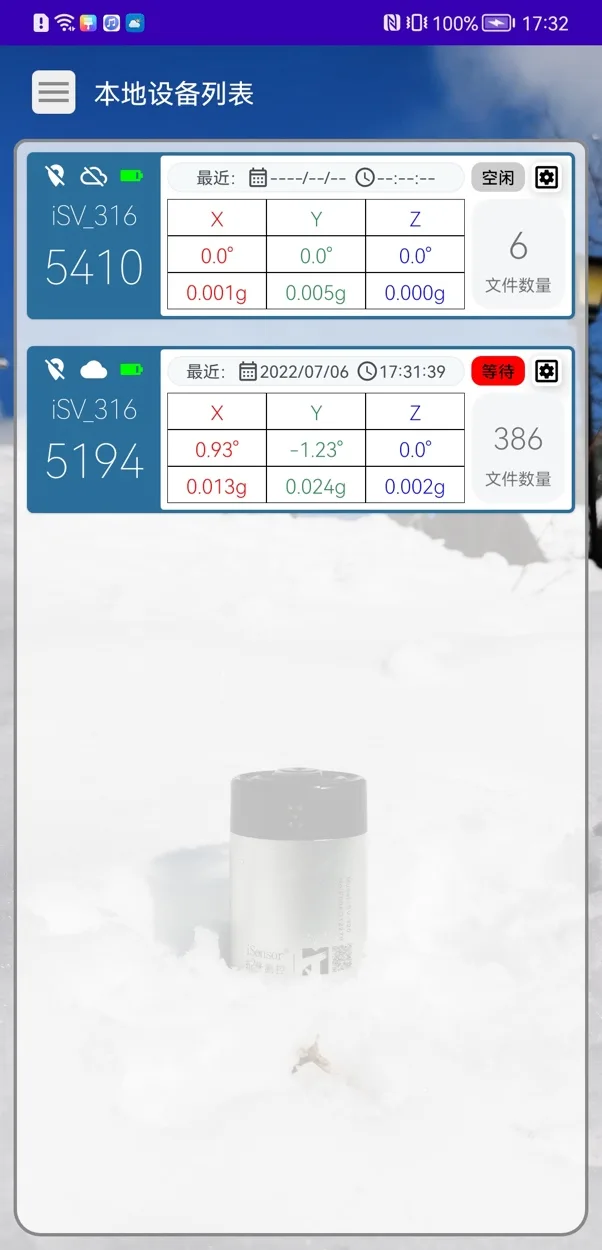
Discover, connect, and read status at a glance
The app discovers and connects to nearby devices automatically, with battery, location and acquisition status shown right in the list.
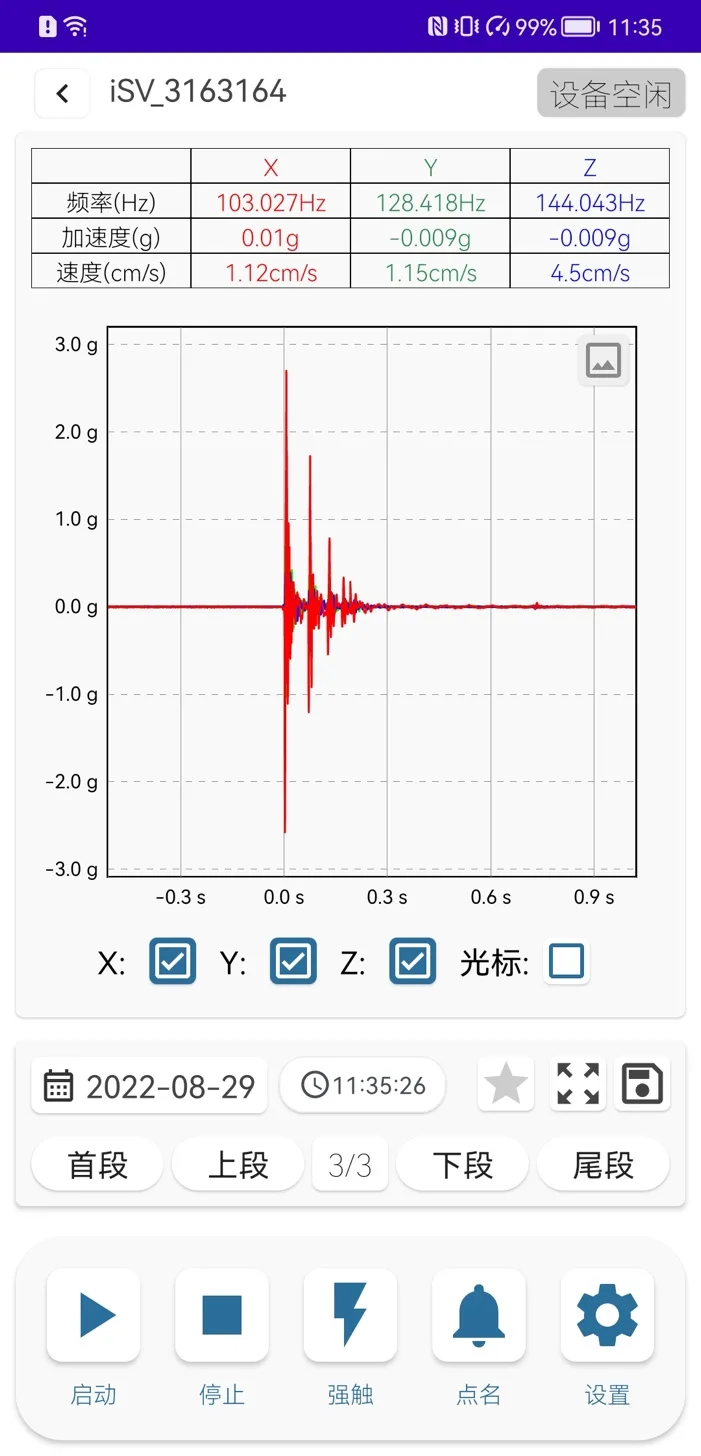
Live waveform and device control on one screen
Open a device to see live waveforms and key values, with everyday controls such as start and stop on the same screen.
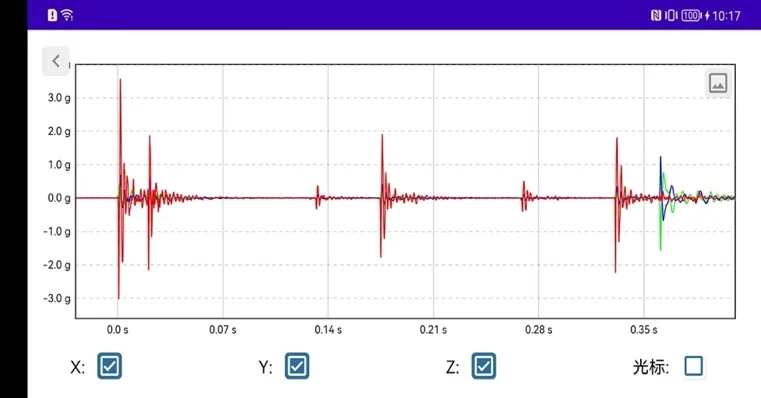
Full-width landscape view for fine detail
Waveforms switch to a full-width landscape view, making details such as shock onset and decay easier to read.
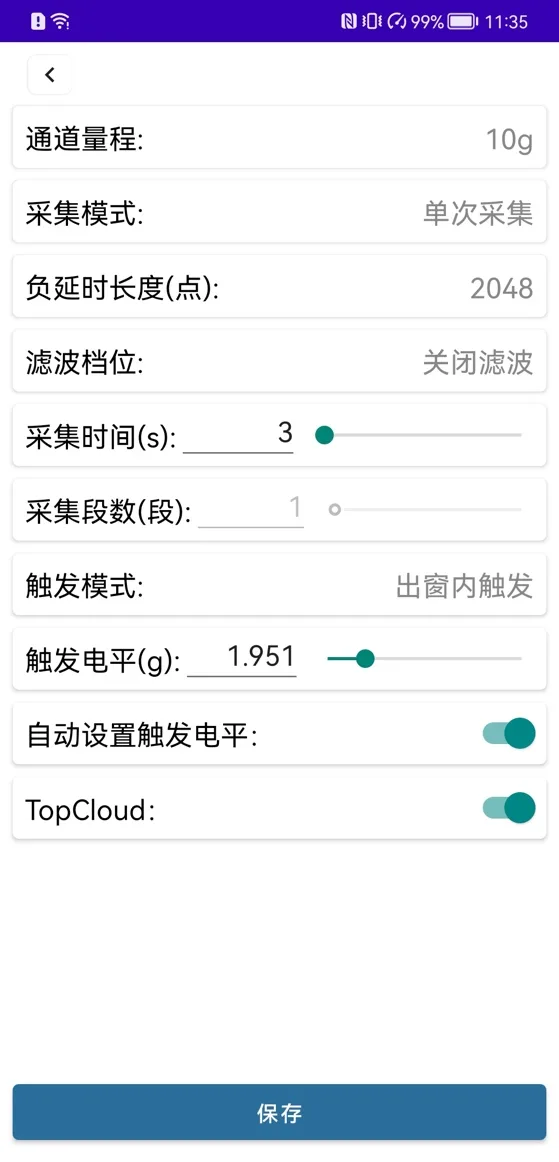
Set up acquisition from your phone
Range, triggering, duration and filtering are configured on the phone and pushed to the device — no laptop needed on site.
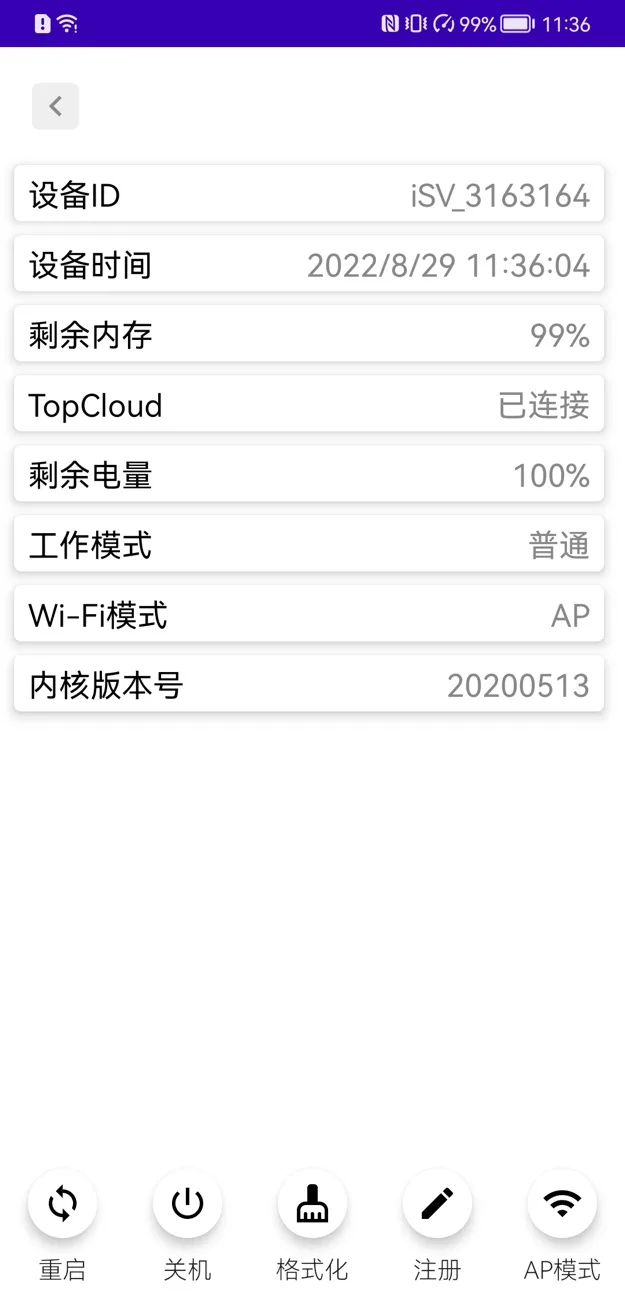
Device information and remote maintenance
Device status is gathered in one place, and maintenance such as reboot, format and network-mode switching is done remotely.
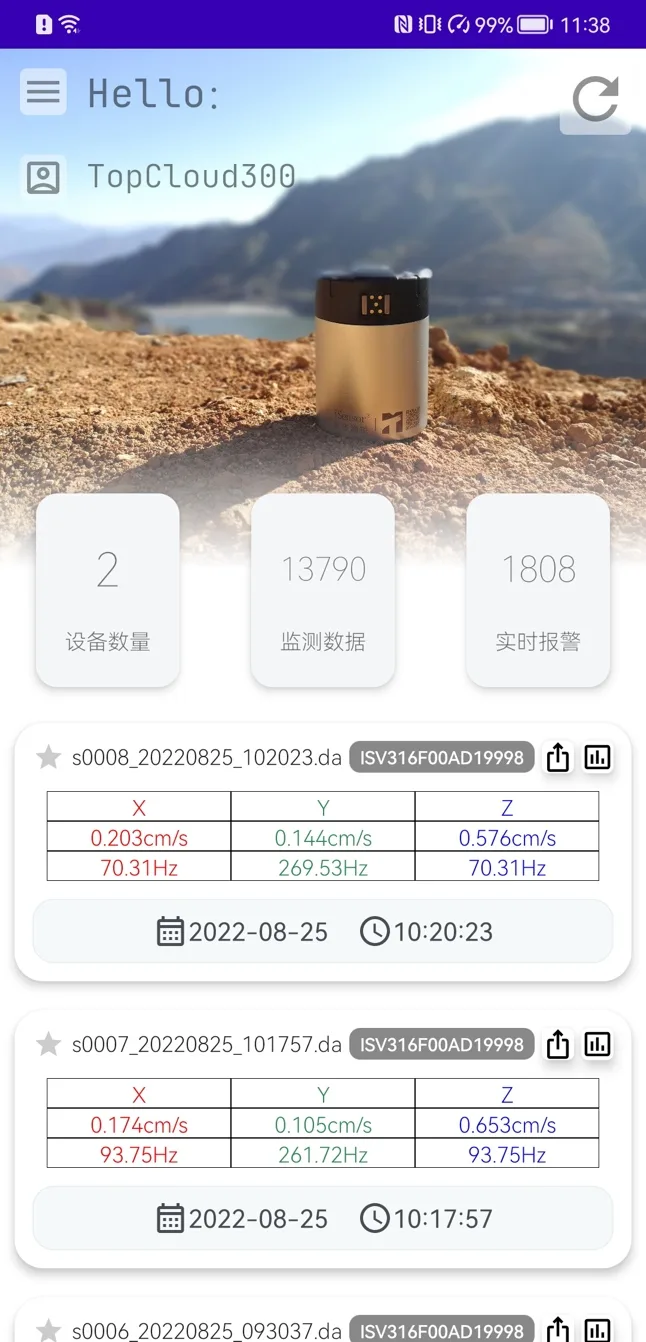
TopCloud access to the whole fleet
Sign in to a cloud account to review device and data statistics and search historical records and alarms.
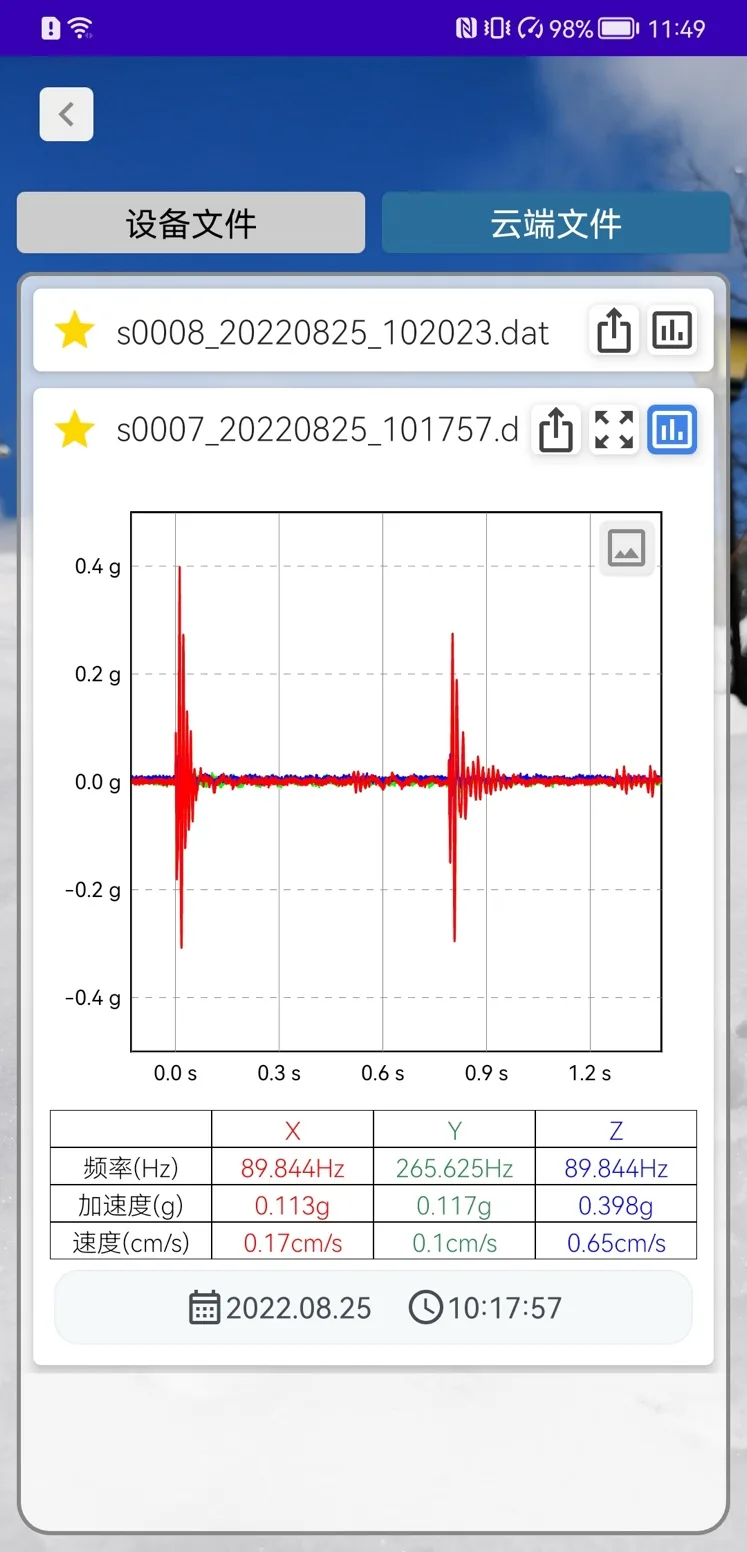
Playback, favourites and one-tap sharing
Downloaded data can be replayed offline and bookmarked, and waveforms or data files shared with colleagues in one tap.
Software download
- DownloadiSensor AppAndroid
For Android phones and tablets — install to discover and connect to field devices.
On Android, allow installation from unknown sources in system settings before installing the downloaded file.
FAQ
- How does the phone connect to a device, and what should I check first?
- Over Wi-Fi. Devices support AP mode (phone connects directly to the device) and STA mode (device joins the site network); you can switch modes from the device information page. On a successful connection the app automatically synchronises the device clock with the phone, so make sure the phone time is correct — otherwise acquisition timestamps will be wrong.
- Which acquisition parameters can be set from the app?
- The settings page pushes channel range, acquisition mode, pre-trigger length, filter setting, record duration, segment count, trigger mode, trigger level and the auto trigger-level switch, plus the TopCloud upload toggle. Note that opening the settings page stops the current acquisition — restart acquisition after saving.
- How far back does cloud data go, and where do the alarms come from?
- The cloud file list covers the most recent 90 days, with date filtering, file name / device / peak velocity / peak frequency / acquisition time, and inline waveform preview. The real-time alarm list is driven by alarm rules configured on the TopCloud platform — any file matching a rule appears there automatically.
- How do I quickly send a field waveform to a colleague?
- Two ways. Share a waveform snapshot — both the acquisition page and the full-screen landscape view export exactly what is on screen to apps such as WeChat. Or share the raw waveform file — the recipient opens it with iSensor App from wherever they received it and gets the full waveform data.
- Can I try it before I have a device on hand?
- Yes. The cloud login page includes a demo-platform entry for trying out TopCloud features, and any data files already downloaded can be reviewed offline from the playback and favourites pages.